AI Dunk Video
AI Dunk Video: Your Photo Takes the Slam Dunk
AI Dunk Video needs one clear photo of yourself or a consenting adult. Wan 3.0 puts that face on the ball handler in a packed arena for a dribble up the court, a low drive toward the rim, the take-off, and a one-hand slam filmed from below. Credit packs are one-time purchases starting at $6.90.
- One subject photo
- 9:16 vertical · 480p or 720p
- From $6.90 per video

AI Dunk Video
Put one consenting adult on a packed basketball court: dribble in, accelerate toward the rim, take off, and finish a one-hand dunk under a low camera angle.
Add the photos for each role. Your effect settings are ready.
Only you can view this video. We will not use it or its prompt as a public example.
Credit packs
$6.90
400 credits
1 Standard video · 480p
$12.90
800 credits
1 HD video · 720p or 2 Standard videos
One-time purchase. Credits work for every effect and in the Studio.
Sign in to buy credits and generate your effect.
Example result
What your video looks like.
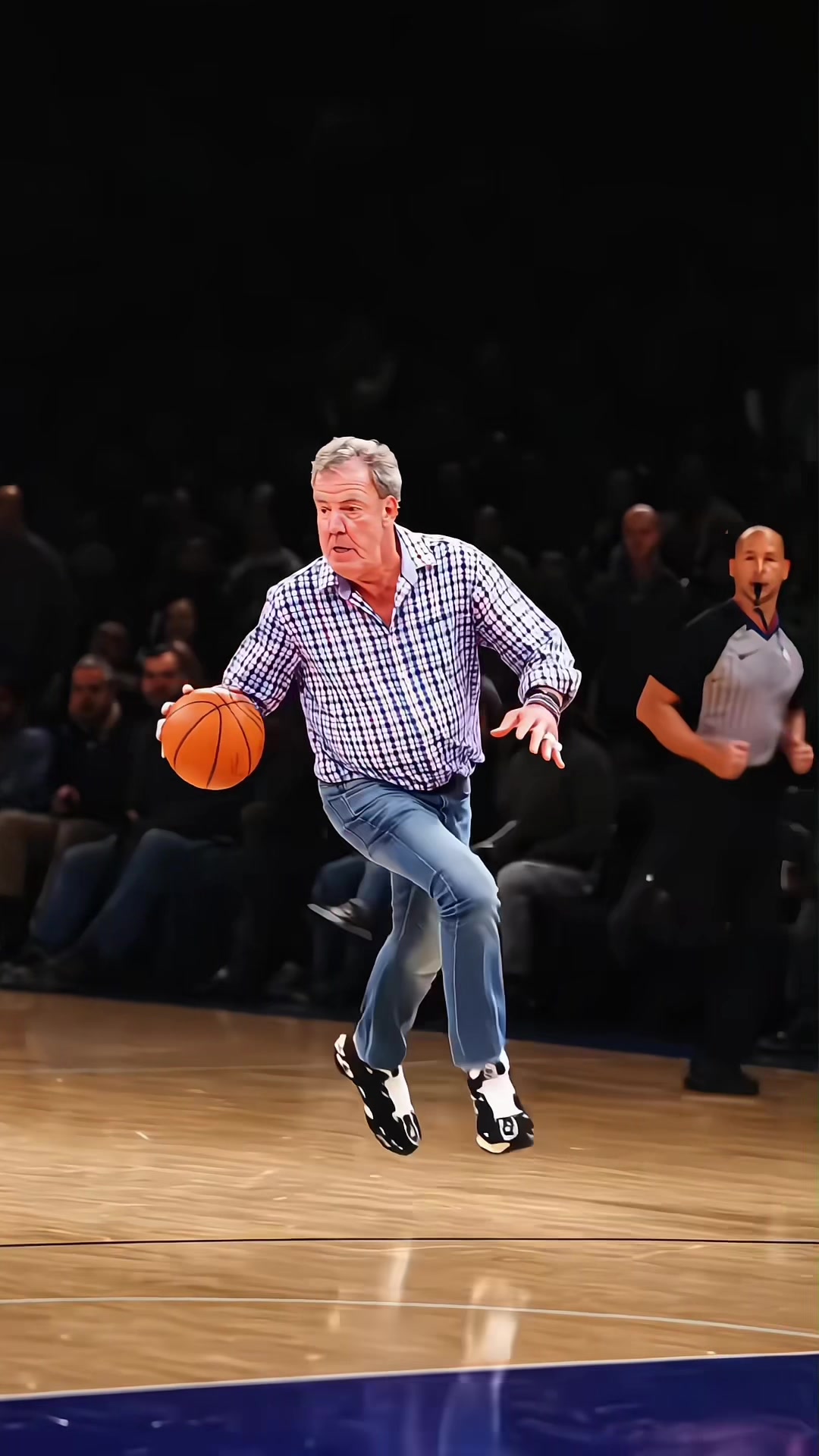
Silent Wan 3.0 motion preview with an AI-generated player. Your exported video replaces the player with your photo and includes the arena sound.
Add the photos for each role on the left, choose the quality, and start your effect. Your result replaces this example.
How to Use AI Dunk Video
- 1.Sign in above and add one clear, front-facing JPG, PNG, or WebP photo of yourself or a consenting adult, using the crop tool if needed.
- 2.Select Standard 480p (400 credits) or HD 720p (800 credits) and review the live credit quote.
- 3.Click Generate effect to render your 9:16 dunk MP4 to your private Assets library.
How the one-photo arena dunk format works
AI dunk videos spread on TikTok through photo templates rather than a single original clip: people upload one photo and come back with themselves, a parent, or a friend finishing a dunk in a packed arena. Clips such as the one posted by @po94275 on November 3, 2026 helped push the format.
Unlike song-driven dance remakes on this site, there is no fixed vocal track to lip-sync. The payoff is the continuous drive, take-off, and rim-rattling finish in a single uninterrupted shot.
@po94275
An AI dunk clip
Source video by an independent creator.
@po94275 on TikTokWhat your video shows
- 01
Dribble in
Your player brings the ball up the court in front of a full crowd.
- 02
The drive
They drop low and accelerate toward the rim.
- 03
Take-off
The ball is gathered for the last step and your player leaves the floor.
- 04
The slam
One hand raises the ball overhead and throws it down as the camera looks up at the rim.
Input, format, and pricing
Wan 3.0 combines your photo with a prepared motion reference of the dunk. The embedded TikTok above is an independent creator video and is not used as generation input.
| Input file | One clear front-facing photo (JPG, PNG, or WebP, up to 10 MB, 240–8,000 px per side within 1:8–8:1; auto-resized up to 2048 px with in-browser crop after sign-in; transparent PNG/WebP flattened on white as JPG) |
|---|---|
| Supported subjects | One consenting adult (pets are not supported) |
| Kept from the template | Blue T-shirt, light jeans, white sneakers, the packed unbranded arena, and the low-angle dunk shot |
| Output format | Native 9:16 vertical MP4 ready for TikTok, Reels, and Shorts |
| Sound | The prompt instructs Wan 3.0 to carry over the reference clip's arena sound; preview exported audio before posting |
| Standard · 480p | 400 credits ($6.90 one-time Starter pack = 1 Standard video, zero subscription) |
| HD · 720p | 800 credits ($12.90 one-time Creator pack = 1 HD video or 2 Standard videos; unused credits also work in the 43-model Video Studio) |
| Model | Wan 3.0 |
How to pick a photo for the dunk
Use an eye-level portrait or a waist-up shot, at least 1,000 px on the short side. The rim camera looks up at you during the take-off, so even light across the brow and jaw keeps your face recognizable from that low angle; side light or a deep shadow under the chin tends to blur first.
For AI Dunk Video, upload a photo of you alone. A group photo gives the model extra faces to place, and the referee and spectators in the arena should stay generic. Skip caps and sunglasses.
Photos you can’t use
Upload only photos you own or have permission to use, and only of people who have agreed to appear. Our Terms do not allow:
- Photos of public figures, or of anyone who has not agreed, including the performers of the original video.
- Nudity, sexual content, or anything unsafe involving minors.
- Graphic violence, threats, or content that encourages harm.
- Hate symbols, harassment, or content that targets a group.
- Images you do not have the rights to, such as screenshots from films or games or another creator’s artwork.
Requests that break these rules can be refused by our checks or by the video provider. If a generation fails, its credits return to your balance. Read the full Terms of Use.
FAQ
Frequently asked questions
Answers about your photos, the finished video and credits.
Can I use a photo of an NBA player or put my team's logo on the jersey?
No. Use your own photo or a photo of an adult who agreed to appear. Photos of athletes or other public figures, and league or team logos, are not allowed under our Terms. The template keeps a plain T-shirt and an unbranded court.
What should I check in the finished dunk clip, and do I need athletic framing?
You do not need an athletic photo. Any clear adult portrait works, because the template supplies the blue T-shirt, jeans, sneakers, dribble, and jump. In the finished clip, check that the ball stays in your hand all the way to the rim instead of passing through it, and that your face appears only on the ball handler, never on a referee or a fan in the crowd.
Do credits expire, and can an unused pack be refunded?
Purchased credits never expire as long as your account remains active, and there is no recurring plan or auto-top-up to cancel. If a purchased pack has 0 credits used, you can request a full refund within 7 days by emailing support@movireva.com with your order ID.
What happens if a generation fails?
If a confirmed generation fails or times out on the provider side, reserved credits return to your balance automatically. Completed renders use the quoted credits.