LOCAL MASK · PIXEL LOCK

GPT Image Editor with Brush Mask & Unpainted Pixel Lock

Use this free GPT image editor to upload a photo and describe any edit in plain words with GPT Image 2, or optionally brush a local area to lock every unpainted pixel on faces, logos, and text. Free daily check-in unlocks up to 5 edits per UTC day from a limited daily free pool (no credit card or subscription; come back tomorrow if today's pool fills up, or continue at 4 credits/edit).

1. Upload photo
0 / 2000
Aspect ratioOriginal ratio
Sign in & check in daily for 5 free edits / UTC day, then 4 credits/edit.
Interactive sample preview

Drag the Before/After slider below, or click Try sample portrait on the left to test live editing.

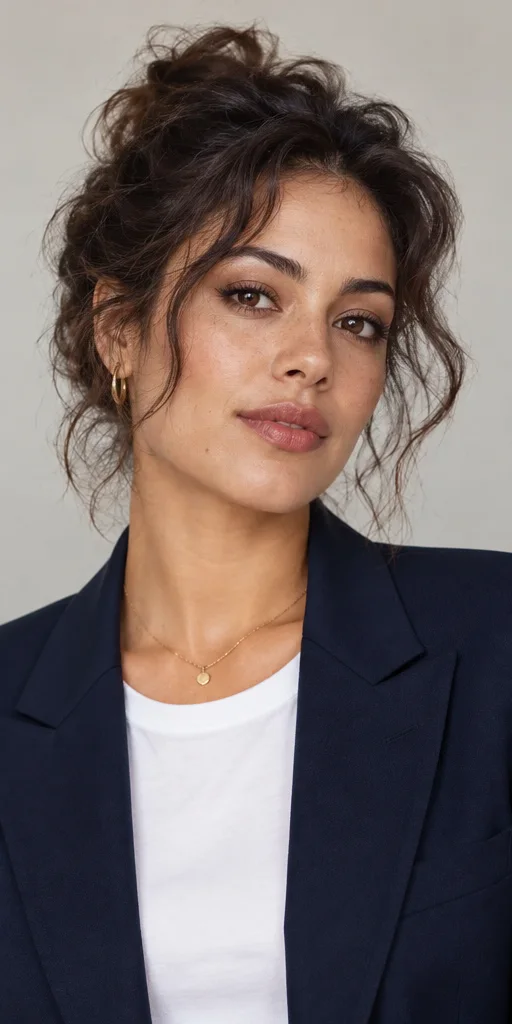
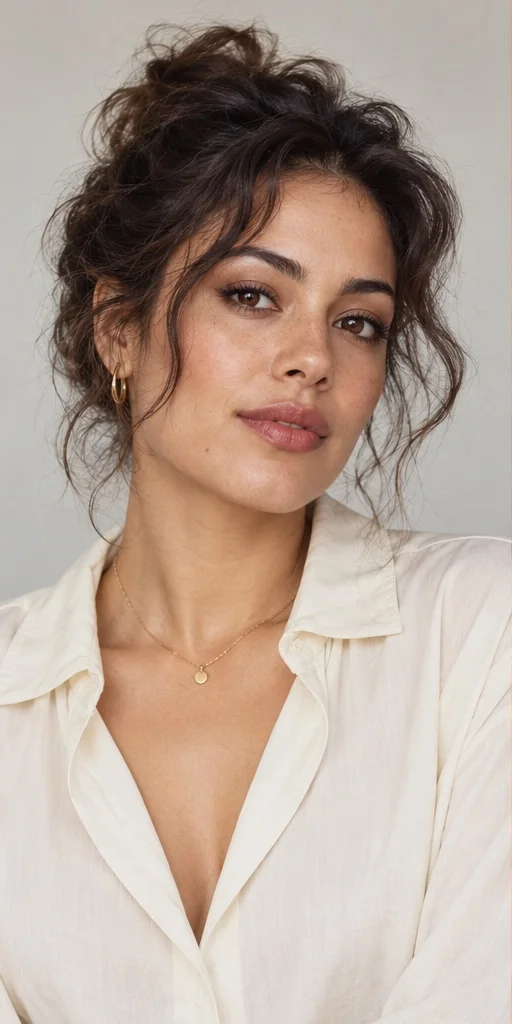
Portrait outfit and studio lighting edit: AI example
Portrait outfit and studio lighting edit: original example
BeforeAfter
‹ ›
Download sample
Shared credit packs from $6.90 →

How to Use GPT Image Editor

  1. 1.Upload a photo (JPG, PNG, or WebP up to 10 MB) or click Try sample portrait; open + Add reference photo only when matching an outfit or backdrop.
  2. 2.Type your edit in plain words (or pick a quick preset); optionally open Paint area (8–96px) to mask a spot and lock unpainted face pixels automatically.
  3. 3.Compare on the slider, download movireva-gpt-edit.png (or raw output), or click Animate in Video Studio.

Before & After Photo Edit Examples

Sample edits with the exact prompts used to restyle studio lighting, weather, and product backdrops around the original subject.

Portrait outfit and studio lighting edit: AI example
Portrait outfit and studio lighting edit: original example
BeforeAfter
‹ ›

Portrait blazer swap (face pixel-locked)

Replace the shirt in the lower half with a tailored dark navy wool blazer over a crisp white crew-neck tee.
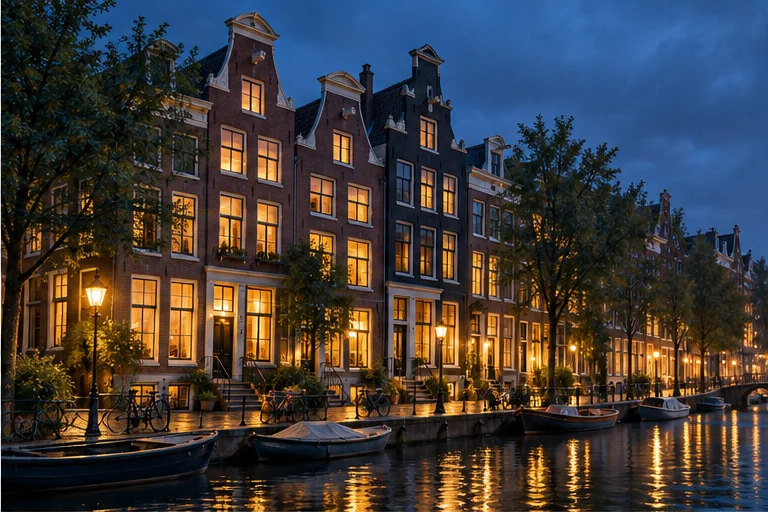
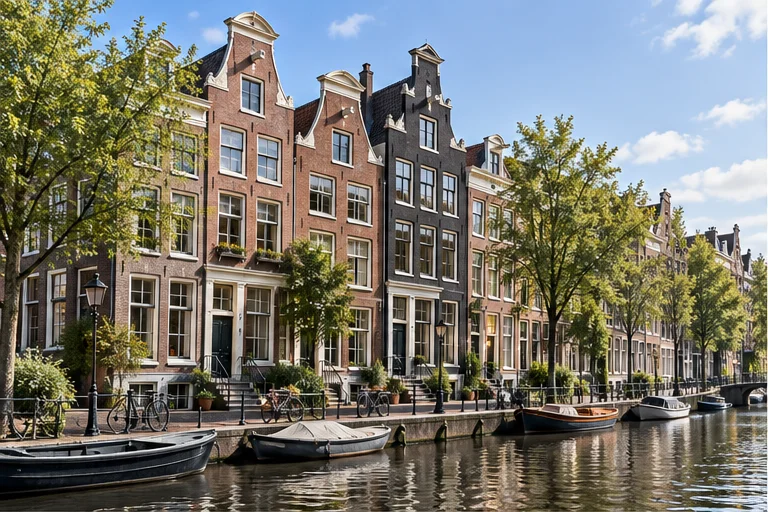
Canal rainy blue-hour lighting edit: AI example
Canal rainy blue-hour lighting edit: original example
BeforeAfter
‹ ›

Weather & time-of-day shift

Transform this canal scene into a rainy blue-hour evening. Keep the same buildings and composition, add warm lights in the windows and reflections on the water.
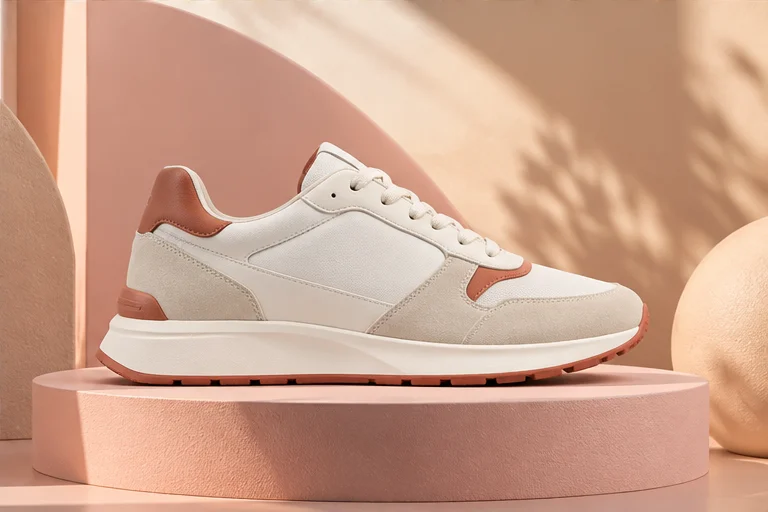
Sneaker studio pedestal background replacement: AI example
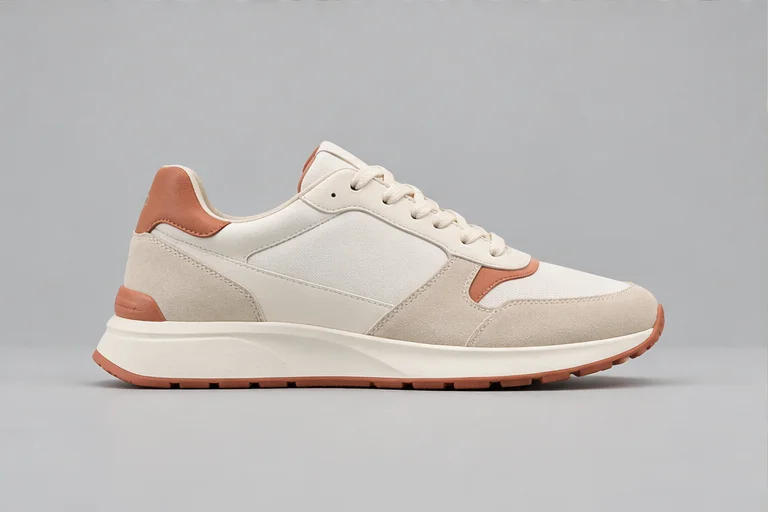
Sneaker studio pedestal background replacement: original example
BeforeAfter
‹ ›

Product studio placement

Place this exact sneaker on a pale peach sculptural pedestal in a sunlit product studio. Preserve its shape, materials and colors. Use a clean editorial composition.

Masking, Multi-Image & Output Specifications

Exact input limits, pixel-lock conditions, and output sizes supported by the online photo editor.

CapabilitySupported range & behavior
Main & reference photosUpload 1 main photo (base and mask target), plus up to 3 optional reference photos via + Add reference photo for outfits, backdrops, style, or group shots with automatic background mapping.
File formats & upload limitsJPG, PNG, and WebP up to 10 MB per file and 20 MB combined across all uploaded photos.
Paint area & pixel lockOpening Paint area activates an 8–96px brush and eraser that export a full-size PNG mask with transparent painted strokes. When Aspect ratio is Auto and the returned edit stays within 6% of your main photo's aspect ratio, browser pixel locking automatically composites only the feathered edit onto your full-resolution original photo (4–24px feather radius).
Output aspect ratios & sizeAuto (follows your main photo), 1:1, 4:3, 3:4, 16:9, and 9:16 (~1K–1.5K cloud output; local pixel locking preserves your full original resolution outside the painted area). Cross-ratio crops disable pixel lock.
Model & prompt limitGPT Image 2 with natural-language edit instructions up to 2,000 characters.
Aspect-aware comparisonOutputs within 2% of your main photo's aspect ratio open in an uncropped Before/After overlay slider; cross-ratio outputs switch to a side-by-side view so faces never look stretched.
Iterative & video handoffEdit Again reloads the result as your new base photo for a second pass; one click prefills the edited frame as the First frame in our 43-model AI Video Generator.

Daily Free Edits & One-Time Credit Packs

Every aspect ratio uses the same flat rate: spend your 5 daily check-in free edits first, then 4 credits per image edit from a shared one-time pack.

Option / One-time packUpfront pricePhoto edits (at 4 credits)Unit rate
Daily Check-In Quota (with sign-in)$0Check in daily for 5 free edits (resets at 00:00 UTC)$0.000
Starter · 400 credits$6.90100 edits$0.069
Creator · 800 credits$12.90200 edits$0.065 ($0.0645 exact)
Studio · 2,000 credits$31.90500 edits$0.064 ($0.0638 exact)
Best Value · 5,000 credits$76.901,250 edits$0.062 ($0.06152 exact)

One-time packs have no recurring billing, do not expire while your account remains active, work across image edits, AI video effects, and all 43 video models, and qualify for a full refund within 7 days if the entire pack is unused (Terms of use).

Frequently Asked Questions

Why do faces still change when I type "keep the face identical" without a mask, and how does pixel locking stop that?

When an AI photo editor regenerates a whole frame from text alone, re-encoding the canvas shifts eye spacing, skin texture, and small lettering even when your prompt asks to keep them. Even with a server mask, cloud models still decode and re-encode the full image; local pixel locking avoids that drift by copying every pixel outside the feathered brush edge straight from your original photo file in the browser.

How do I swap outfits or backgrounds from a reference photo without writing complex prompts?

Upload your main portrait first, click "+ Add reference photo" to attach an outfit, backdrop, or companion photo, and tap one of the preset buttons such as "Wear reference outfit" or "Use reference backdrop". The editor maps your main photo and reference photo automatically in the background, so you never have to type image slot numbers.

What can I test without signing in, and how does the limited daily free quota work?

Without an account, you can load the sample portrait or upload your own photo and test local brush masking in your browser. Running a cloud edit requires free Google or email sign-in to claim up to 5 daily check-in edits from a limited shared daily free pool (no credit card or subscription). If today's free pool is full, come back tomorrow after 00:00 UTC or continue immediately with one-time credits (4 credits/edit). Provider timeouts restore your slot automatically.

Are my uploaded portraits or edited photos published in a public gallery?

No. Uploaded reference photos and PNG masks are used only to process your edit request, and finished images are stored privately in your account library. Nothing edited on this page is published publicly, and sending an edited photo to the Video Studio transfers it locally through browser draft storage.