Toc Toc AI
Toc Toc AI: The Door-Knock Dance From Two Photos
Toc Toc AI casts two consenting adults as a Las Vegas wedding couple. The left photo becomes a groom in a cap and green polo, the right photo a bride in a white dress, and both hop, kick, and knock on an invisible door in sync under the welcome sign. Wan 3.0 renders the routine with the "Toc toc" song, and credit packs start at $6.90 with no subscription.
- Two subject photos
- 9:16 vertical · 480p or 720p
- From $6.90 per video

Toc Toc AI
Place two consenting adults under the Las Vegas welcome sign for the Toc Toc door-knock dance: Left performer photo as the groom and Right performer photo as the bride, hopping, kicking, and knocking in sync.
Add the photos for each role. Your effect settings are ready.
Only you can view this video. We will not use it or its prompt as a public example.
Credit packs
$6.90
400 credits
1 Standard video · 480p
$12.90
800 credits
1 HD video · 720p or 2 Standard videos
One-time purchase. Credits work for every effect and in the Studio.
Sign in to buy credits and generate your effect.
Example result
What your video looks like.
Silent preview of the Toc Toc motion reference. Your exported video replaces the groom and the bride with your two photos and includes the song.
Add the photos for each role on the left, choose the quality, and start your effect. Your result replaces this example.
How to Use Toc Toc AI
- 1.Sign in above and add two clear JPG, PNG, or WebP photos of consenting adults to Left performer photo and Right performer photo, using the crop tool if needed.
- 2.Select Standard 480p (400 credits) or HD 720p (800 credits) and review the live credit quote.
- 3.Click Generate effect to render your 9:16 MP4 with the "Toc toc" song to your private Assets library.
What is the Kicékéla door-knock wedding dance?
The dance started in France in late summer 2026, when a 17-year-old high-school student from the Oise posted his hop-and-knock routine to Patrick Sébastien's "Toc toc". It crossed into the US in October, with a hallway version posted by @4thfloorboys on October 6, 2026.
AI versions put friends, couples, and costumed characters into the same routine. This template sets it at a Las Vegas wedding: one photo becomes the groom, the other the bride.
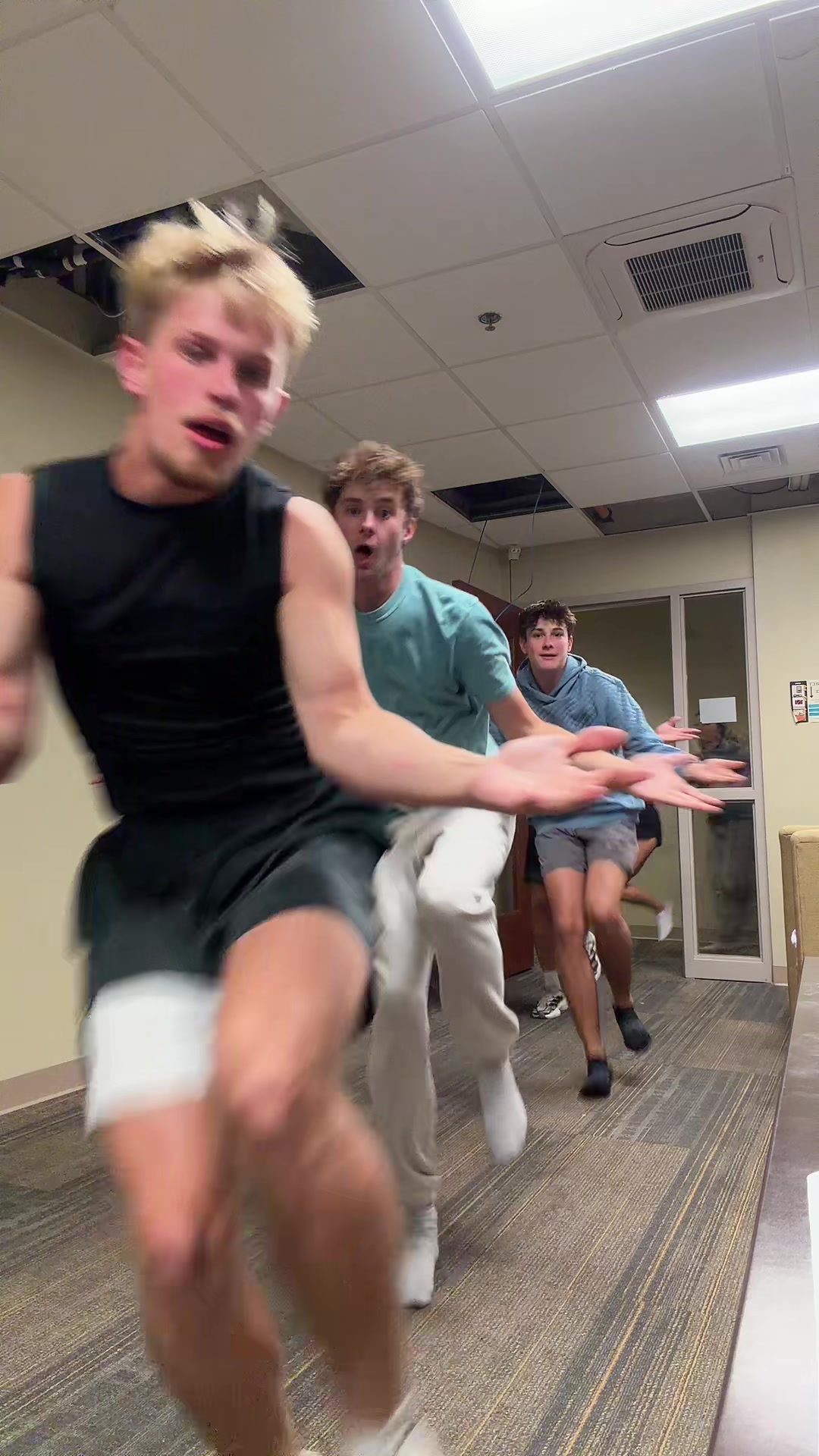
@4thfloorboys
The Toc Toc hallway dance
Source video by an independent creator.
@4thfloorboys on TikTokThe song: Patrick Sébastien's "Toc toc"
"Toc toc" comes from Patrick Sébastien's 2015 album Ça va bouger !. The chorus line "Qui c'est qu'est là ?" is why English-speaking viewers often write the trend as "Kicékéla". In October 2026, Sébastien told French reporters he was surprised to see a track from a decade earlier take off worldwide on TikTok.
What your video shows
- 01
Under the sign
Your two dancers stand side by side on the lawn below the Las Vegas welcome sign.
- 02
Knee up, hop
They lift a knee, hop, and switch feet together as the chorus starts.
- 03
Toc, toc
Both knock twice on an invisible door, then open their hands in a shrug.
- 04
In sync to the end
Groom and bride keep their left and right spots through the kicks and knocks until the last beat.
Role assignment, format, and pricing
Wan 3.0 combines your two photos with a prepared motion reference of the Toc Toc dance. The embedded TikTok above is an independent creator video and is not used as generation input.
| Input files | Two clear front-facing photos, one per performer (JPG, PNG, or WebP, up to 10 MB each / 20 MB combined, 240–8,000 px per side; auto-resized up to 2048 px with in-browser crop after sign-in; transparent PNG/WebP flattened on white as JPG) |
|---|---|
| Left performer photo | Becomes the groom in the cap, green polo, and khaki shorts |
| Right performer photo | Becomes the bride in the white wedding dress with a bouquet |
| Supported subjects | Two consenting adults (pets are not supported in this routine) |
| Output format | Native 9:16 vertical MP4 ready for TikTok, Reels, and Shorts |
| Sound | The prompt instructs Wan 3.0 to carry over the reference clip's "Toc toc" song and timing; preview exported audio before posting |
| Standard · 480p | 400 credits ($6.90 one-time Starter pack = 1 Standard video, zero subscription) |
| HD · 720p | 800 credits ($12.90 one-time Creator pack = 1 HD video or 2 Standard videos; unused credits also work in the 43-model Video Studio) |
| Model | Wan 3.0 |
How to pick two photos for a full-body dance
The routine shows both dancers from head to toe, so use one sharp, front-facing photo per adult, waist-up or full-length, at least 1,000 px on the short side. A head-only crop leaves the model guessing at body proportions for the hops and kicks.
Match the lighting between the two portraits, ideally both in daylight, so neither face changes tone next to the other. Keep hairlines uncovered: the template gives the groom a baseball cap and frames the bride with open hair, so a hat or hood in your photo only hides the hairline the model needs. Avoid heavy filters and group shots.
Photos you can’t use
Upload only photos you own or have permission to use, and only of people who have agreed to appear. Our Terms do not allow:
- Photos of public figures, or of anyone who has not agreed, including the performers of the original video.
- Nudity, sexual content, or anything unsafe involving minors.
- Graphic violence, threats, or content that encourages harm.
- Hate symbols, harassment, or content that targets a group.
- Images you do not have the rights to, such as screenshots from films or games or another creator’s artwork.
Requests that break these rules can be refused by our checks or by the video provider. If a generation fails, its credits return to your balance. Read the full Terms of Use.
FAQ
Frequently asked questions
Answers about your photos, the finished video and credits.
What should I check in a two-person full-body dance before posting?
Play the MP4 with sound on and watch the synchronized hops. Left performer photo should stay in the groom's cap and green polo and Right performer photo in the bride's white dress, with no face swap between them on the kicks and knocks. Check that both dancers' feet touch the lawn instead of floating. To reverse the outfits, swap the two upload slots and render again.
Can I keep the clothes from my photos or include a pet here?
No. Hotel Lobby AI keeps the clothing from each photo, but Toc Toc AI dresses both performers in the Las Vegas groom and bride outfits, and it supports consenting adults only. For a pet, use Hotel Lobby AI or Bad Times AI instead.
Can I make a Toc Toc AI video of a politician or celebrity?
No. Upload only yourself or adults who agreed to appear. Photos of public figures, including politicians, are refused under our Terms.
Do credits expire, and can an unused pack be refunded?
Purchased credits never expire as long as your account remains active, and there is no recurring plan or auto-top-up to cancel. If a purchased pack has 0 credits used, you can request a full refund within 7 days by emailing support@movireva.com with your order ID.
What happens if a generation fails?
If a confirmed generation fails or times out on the provider side, reserved credits return to your balance automatically. Completed renders use the quoted credits.